



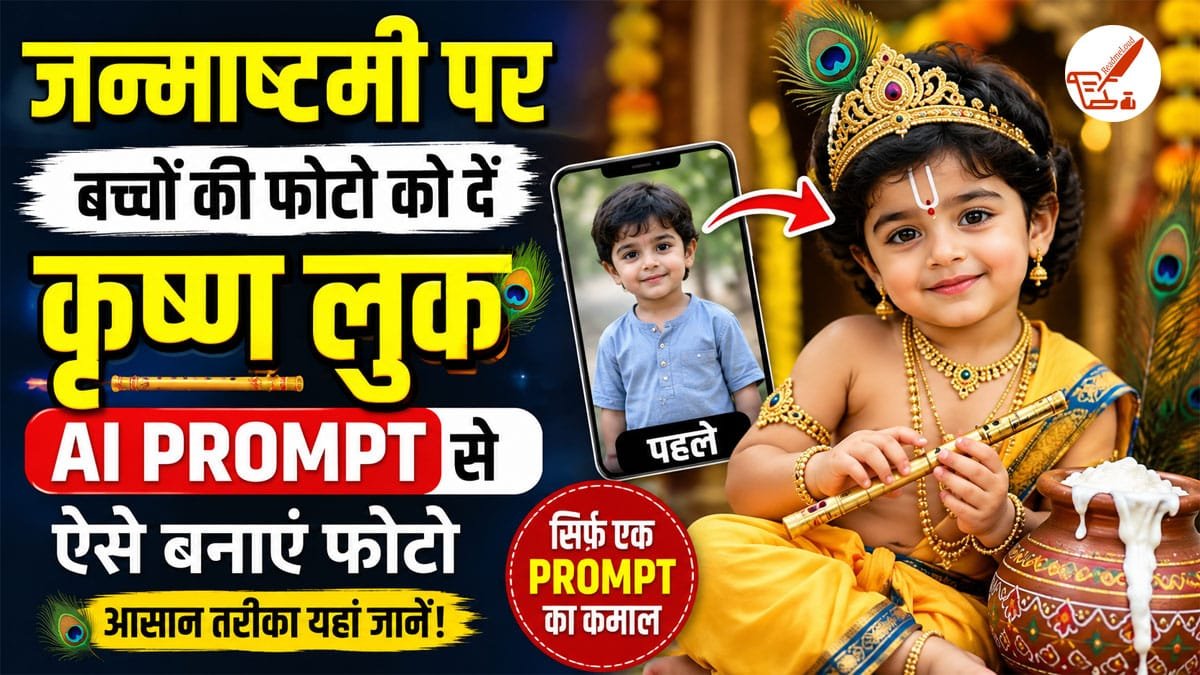
जन्माष्टमी पर घर में बच्चों को कान्हा की तरह सजाने का उत्साह अलग ही होता है. पीली धोती, मोर पंख, बांसुरी और माथे पर तिलक लगाए बच्चे बेहद प्यारे लगते हैं. लेकिन अगर आप इस बार बच्चे की फोटो को बिना ज्यादा मेहनत के डिजिटल तरीके से कृष्ण लुक देना चाहते हैं, तो AI image editing tools आपकी मदद कर सकते हैं. खास बात यह है कि इसके लिए आपको पूरी तरह नई तस्वीर बनाने की जरूरत नहीं है. बच्चे की मौजूदा फोटो अपलोड करके सही AI prompt की मदद से उसके कपड़े, एक्सेसरीज, बैकग्राउंड और पूरे लुक को कृष्ण थीम में बदला जा सकता है.
AI से बच्चे को कृष्ण लुक देने के लिए क्या चाहिए?
सबसे पहले बच्चे की ऐसी साफ फोटो चुनें जिसमें चेहरा अच्छी तरह दिखाई दे. फोटो बहुत ज्यादा धुंधली या अंधेरी न हो. अगर बच्चे का पूरा शरीर दिखाई दे तो AI को कपड़े बदलने और कृष्ण लुक तैयार करने में ज्यादा आसानी हो सकती है.
इसके बाद ऐसे AI image editor का इस्तेमाल करें जिसमें existing photo को edit करने और prompt के आधार पर बदलाव करने की सुविधा हो. फोटो अपलोड करने के बाद नीचे दिए गए prompt को अपनी जरूरत के अनुसार इस्तेमाल किया जा सकता है.
Prompt 1: प्यारा बाल कृष्ण लुक
अगर आप बच्चे की फोटो को मासूम और प्यारे बाल कृष्ण के रूप में बदलना चाहते हैं, तो यह prompt इस्तेमाल कर सकते हैं.
AI Prompt:
“Transform this child’s photo into a cute traditional Bal Krishna look. Keep the child’s face, facial features, skin tone and natural expression unchanged. Dress the child in a beautiful yellow dhoti with traditional golden details, add a small peacock feather crown, elegant traditional jewelry, a small tilak on the forehead and a flute in the hand. Create a beautiful Janmashtami-inspired background with soft temple lights, flowers and a festive Indian atmosphere. Keep the image photorealistic, natural and age-appropriate.”
Prompt 2: मटकी और माखन वाला कृष्ण लुक
अगर फोटो में कान्हा के साथ माखन और मटकी वाली थीम दिखानी है, तो यह prompt बेहतर रहेगा.
AI Prompt:
“Turn this child’s existing photo into a charming Bal Krishna themed portrait. Preserve the child’s original face and identity. Add a traditional yellow dhoti, peacock feather crown, small flute, traditional jewelry and a decorated matki filled with butter. Create a beautiful festive Janmashtami setting with flowers, soft golden lights and a traditional Indian home background. Make the final image realistic, adorable, detailed and natural.”
Prompt 3: राधा-कृष्ण थीम वाला फोटो
अगर बेटी या बेटे की फोटो को राधा-कृष्ण थीम में तैयार करना चाहते हैं, तो prompt में gender के अनुसार कपड़ों का विवरण बदल सकते हैं.
AI Prompt:
“Create a beautiful Janmashtami-themed portrait from this child’s original photo. Preserve the child’s face, facial identity and natural expression. Give the child an elegant traditional Krishna-inspired outfit with yellow and blue clothing, a delicate peacock feather crown, flute and traditional jewelry. Add a dreamy Vrindavan-inspired background with flowers, greenery, soft lights and a festive devotional atmosphere. Keep the child looking natural, innocent and age-appropriate.”
सिर्फ कपड़े बदलने के लिए यह Prompt आजमाएं
अगर आप बच्चे का चेहरा और बैकग्राउंड बिल्कुल वैसा ही रखना चाहते हैं और केवल कपड़ों को कृष्ण लुक में बदलना चाहते हैं, तो छोटा prompt भी काम कर सकता है.
AI Prompt:
“Keep the child’s face, hairstyle, pose, body proportions and background unchanged. Only change the outfit into a traditional Bal Krishna costume with a bright yellow dhoti, blue waist sash, peacock feather crown, small flute and subtle traditional jewelry. Make the edit photorealistic and natural.”
AI फोटो को ज्यादा Realistic कैसे बनाएं?
AI से फोटो बनाते समय केवल “Krishna look” लिखना काफी नहीं होता. बेहतर रिजल्ट के लिए prompt में यह भी बताएं कि बच्चे का चेहरा, उम्र, facial features और expression नहीं बदलना है. इसी तरह अगर फोटो का बैकग्राउंड नहीं बदलना चाहते तो prompt में साफ लिखें कि background unchanged रखें.
बहुत ज्यादा एक्सेसरीज डालने के बजाय हल्का और natural look रखने से फोटो ज्यादा वास्तविक दिखाई दे सकती है. बच्चे की उम्र के हिसाब से ही कपड़े और आभूषण रखें.
कौन-कौन से Elements जोड़ सकते हैं?
जन्माष्टमी फोटो को आकर्षक बनाने के लिए AI prompt में कई elements जोड़े जा सकते हैं, जैसे मोर पंख वाला मुकुट, बांसुरी, पीली धोती, हल्का तिलक, मटकी, माखन, फूल, मंदिर की रोशनी, वृंदावन जैसा बैकग्राउंड और soft golden lighting.
अगर फोटो सोशल मीडिया पर शेयर करनी है तो portrait composition और साफ चेहरा रखने को prompt में जरूर लिखें.
बच्चों की फोटो Edit करते समय रखें ये सावधानियां
AI editing के दौरान सबसे जरूरी है कि बच्चे की पहचान और चेहरे की प्राकृतिक विशेषताएं अनावश्यक रूप से न बदलें. फोटो को बहुत ज्यादा artificial बनाने से बचें. किसी भी AI tool पर बच्चे की निजी या संवेदनशील फोटो अपलोड करने से पहले उसकी privacy policy और image-data handling जरूर समझ लें.
जन्माष्टमी पर बच्चों की फोटो को कृष्ण लुक देने का सबसे अच्छा तरीका यही है कि original photo की पहचान बरकरार रखते हुए केवल costume, accessories और background में बदलाव कराया जाए. सही prompt के साथ साधारण फोटो भी एक खूबसूरत और यादगार जन्माष्टमी तस्वीर में बदली जा सकती है.
